
Combine routes into a new ride
Like the first half of one route and the second half of another? Pick the parts you want to ride and rerouter joins them, with the connectors routed for you.
- Choose 2 to 4 routes: select them in your library, tick them in a list you can narrow down by collection, area, region or name, click them on the map, or start from a route's panel.
- Mark the parts to keep: click where each part starts and ends on its route, and drag the ends to adjust them. One route can give several parts.
- Connect them: click the end of one part, then the start of the next, or let rerouter pick the order with the shortest gaps, as a loop or point to point.
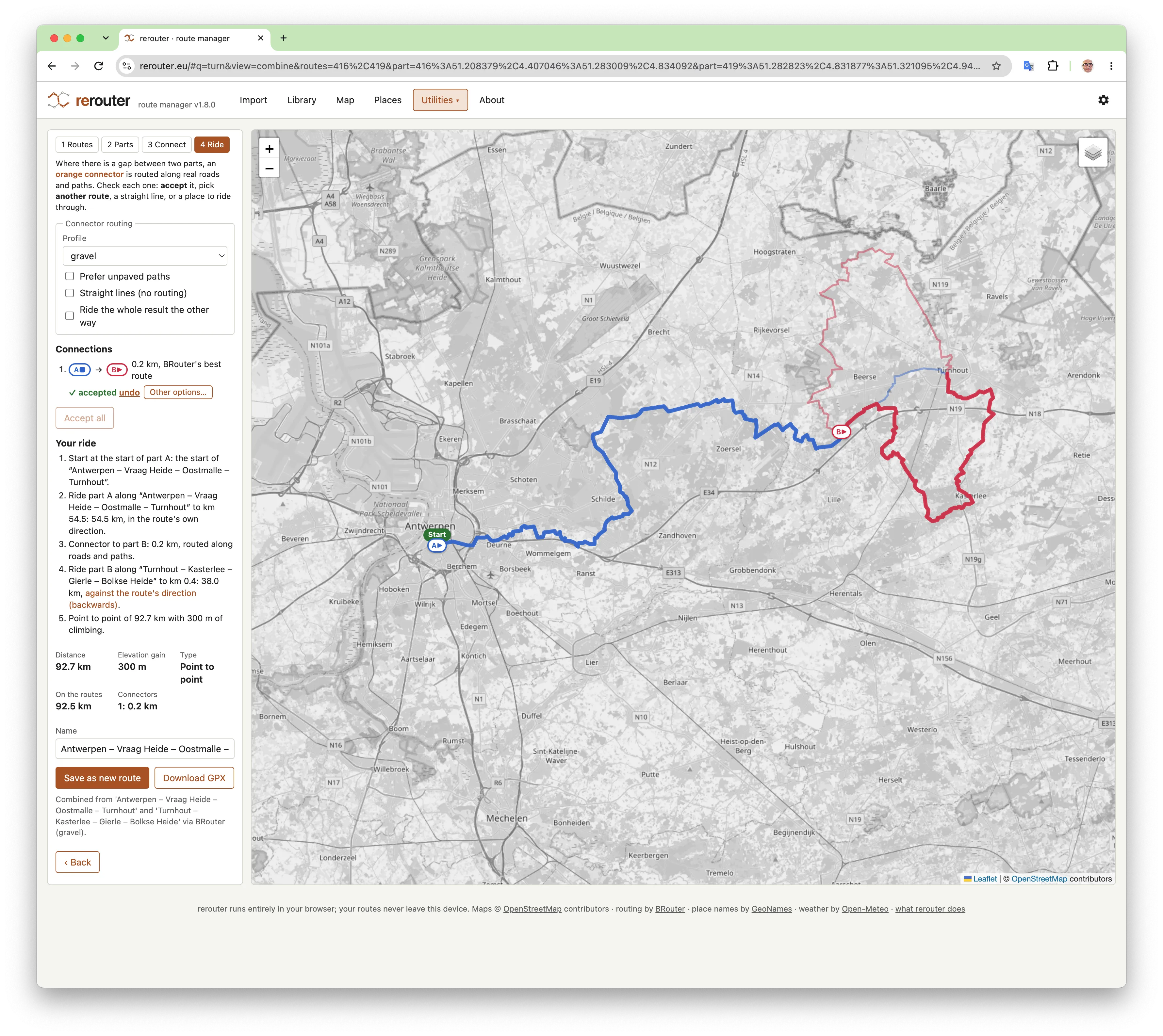
- The gaps are filled with connectors routed by BRouter, with a profile for the activity (gravel, road, mountain biking or hiking; for gravel optionally preferring unpaved paths). Check each one: accept it, or pick another of BRouter's routes, a straight line, or one of your places to ride through.
- Check the distance, the climbing and your ride described step by step, then save it as a new route or download the GPX for your bike computer.
Your original routes are never changed. On the map, Highlight routes near each other shows where your routes meet: good places to combine them.
Free, nothing to install, no account: your routes stay in your browser.
More of what rerouter does
- A library for all your routesKeep your gravel, road, mountain biking and hiking routes in one place, and find the right one again in seconds.
- Import GPX, TCX and FIT filesDrag and drop your route files, many at once, whole folders or zip files, and rerouter does the rest.
- Import a route from a linkPaste a link to a route online and rerouter fetches it, fills in the source, activity and description, and adds it to your library.
- Start a loop somewhere elseA great loop that starts on the other side of the map? Move its start to where you live, park or get off the train.
- The weather along your routeNot the weather at home, but along the route, at the moment you pass each point: so you know when to start, and which way round to ride.
- Cafés, water and toilets along your routeWhere can you get a coffee, fill your bottles or find a toilet on the way? rerouter lists the places along a route, in riding order.
- VeloViewer explorer tilesHunting explorer tiles? Import your tiles from VeloViewer, and rerouter tells you which routes in your library get you the most new ones.
- A day out with the trainRide out and take the train home, or take the train out and ride back: rerouter finds the routes in your library that fit, and the trains that go with them.
- All your routes on one mapEvery route that matches your filters on one map: see where you have ridden, and where your routes meet.
- Share a route with a linkSend a friend a link to a route: they see it on a map with its stats, and can download the GPX or add it to their own library.
- Clean up duplicate routesDownloaded the same route from two sites? rerouter finds the routes you have twice and suggests which one to keep.